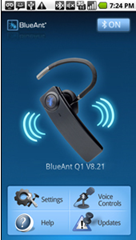
BlueAnt Wireless Announces Android Application for Q1 Headset

blueantq1android Today, BlueAnt Wireless announced its first application for Android mobile phones. The BlueAnt Q1 Android application will allow text messages to be announced and read aloud directly into BlueAnt’s Q1 headset. This will significantly enhance the truly hands-free experience of the Q1 and build upon the industry’s most advanced voice controlled headset. The Q1 already lets users answer and make phone calls and operate the device with spoken commands and delivers voice prompts to confirm device settings and provide user guidance. Pretty impressive stuff but now users will be able to do even more.

System Requirements

To use the Android application, you need:

  • Your BlueAnt Q1 Headset with firmware version 8.19 or above installed.
  • An Android device running Android Operating System version 2.0 or above.

Tip: You can check the firmware version of your Q1 by looking at your phone’s list of paired Bluetooth devices. If your Q1 has an earlier version of the firmware installed on it, please register your Q1 (if you have not already done so) and then download and run the BlueAnt Q1 Updater.

Jump after the break for the BlueAnt Wireless Android Application for Q1 Headset.

Read more

SKTools Releases New Version 4.5.1.4

This multi-function application includes more than 60 tools and allows an easy but powerful maintenance of Windows Mobile devices. Clean up your registry and file system, free-up RAM, backup and restore, find duplicate contacts, appointments and tasks. SKTools can manage installed applications, Today plugins, software keyboards. In new version 4.5.1.4 of SKTools: TuneUP!: added tweak … Read more

PocketGear Acquires Handango, Creating the World’s Largest Cross Platform, Open App Store

Even though we could have a lot of fun making possible new company names out of PocketGear and Handango, I will refrain for the sake of decency. I will tell you that the acquisition of Handango by PocketGear will make the open app store and content marketplace that will have “more than 140,000 paid and free titles”. This will give the “4 Billion Consumers Worldwide” access to applications for devices with:

  • Android
  • Symbian
  • BlackBerry
  • Windows Mobile
  • Palm
  • Linux
  • Java

I am always fearful that merging companies together only decreases their already marginal customer service. For Handango, it would seem that they only have upwards to go. So what do you think? Have you ever bought apps from either PocketGear or Handango? Let us know what you think of these two companies becoming one with PocketGear buying Handango.

Read the whole press release after the break.

Read more

Mobility Digest Review: Wondershare DVD Converter Ultimate

Hello, Hello! It’s been quite a while since I’ve had the chance to take a look at any DVD Ripper/Convertor software here on MobilityDigest hasn’t it? So for Valentine’s Day I’ve got a review for you of Wondershare DVD Converter Ultimate that is a fully, feature packed solution for your DVD ripping, Converting, Burning and Editing needs. It’s a very small program, but yet it can do a lot of stuff for you and make your life easier in the process hopefully. We live in a mobile society, and while I’m not one who particularly like watching movies on the tiny screens of phones and media players, other people out there are more than happy with it. I mean I do it, but it’s something that I do often, I may have a movie or two on my phone or Zune and just watch a few minutes to waste some time, but that’s about it, I can’t fathom watching an entire two hour movie on a screen just inches wide. The software I have for review today though can help you get your DVD movies to a portable format, be it your phone or MP3 player, quickly and easily. It’s not just for that though, it’s an entire suite of tools in one product. So read on to learn more…

Read more

Mobility Digest Review: ThumbCal v1.4.0 Beta – PIM Replacement

Ever since my original Palm Pilot days I have searched for a simple way to enter and edit tasks and appointments on my portable devices. I have tried more than a half dozen PIM replacement apps and have active licenses for most of them. They all worked well in their own way, but over time I found them cumbersome to navigate and simply too complex to use regularly. A stylus was a must, and I really stressed when I had to insert some data, usually waiting till I got back to my desktop to load an entry directly into Outlook.

Right behind using you device to make and receive phone calls, Personal Information Management (PIM) is the next most important feature (or should be), which is crippled by Microsoft’s poor excuse for a PIM application, seeing little improvement except for maybe the most recent builds. Really sad when you think about it.

Well, introducing ThumbCal, a totally finger friendly Task & Appointment PIM replacement for your phone. I first posted about this app back in July when I installed it and things just keeps getting better. It is one of my “Top 5 Apps” that I could not imagine being without. Once you try this app, at least in my opinion, I can’t imagine why or how you would ever want to use anything else. I honestly now look forward to entering tasks and appointments on my phone and although I sit in front of my PC every day, I have not entered anything directly into Outlook in months. The app started out as an XDA thread and went commercial more than a year ago. The thread is here and the developers site is here. The current price is $19.95, but there is a 14 day trial; plenty of time to fall in love with this must have app. Ok, enough of my hyperbole, let’s go take this baby for a test drive.

If you want to know more about  ThumbCal v1.4.0 Beta, then head on over to our forums (CLICK HERE) and read my complete review and join in our discussion of ThumbCal v1.4.0 Beta

Read more

Didiom Pro v1.0 Released To Marketplace

Last time we mentioned Didiom it seems like you guys really liked it. Well there’s an update. Didiom has now released Didiom Pro and it’s live on Marketplace.  So what changed? They made the quality of streams higher and they gave you the ability to download songs to your phone, along with more stability and … Read more

Huge Resco Sale On Utility Package & Media Suite For PPC

One of the biggest names in Third Party Software for all of Windows Mobile and legendary for their File Explorer Application (with new 2010 version!), is running a huge sale on: Buy the Resco Utility Package and SAVE more than 40%! You now have the unique opportunity to have File Explorer with Photo Manager Standard … Read more