


The Fart Application of The Future…Today

I know…it’s a fart application. But this isn’t a normal fart application – meet BSFartApp. This is the fart application you couldn’t even dream of. It includes text messaging to initiate a fart, GPS remote tracking (of course which can then trigger a fart), remotely cause the subject phone to call another phone (so you … Read more

SPB Releases SPB TV 1.0 and WE Review it!

From the company that brought us great software image like SPB Mobile Shell (3.0 soon we hope!), SPB Keyboard and SPB Weather come SPB TV 1.0!  This is the stand alone version of their TV Viewer which is currently packaged into their SPB Online package.

Spb TV is a mobile client, which allows viewing TV channels on Windows phones.
The uniqueness of this application is in its unparalleled usability, and the overall seamless experience of watching TV on a mobile device. Spb TV allows quickly checking the TV guide and previewing shows for each TV channel, without having to quit the current channel. Moreover, the convenient on-screen controls allow adjusting volume, backlight, and more.

Main Features:

  • Unique TV browser with quick channels preview and list of current & upcoming TV shows for fast channel selection
  • Integrated full week’s TV guide
  • Ability to set Outlook reminders for TV shows of interested
  • Fast channels launch and switching technology
  • Picture-in-picture mode (channel preview while in another channel)
  • Finger-friendly onscreen “transparent” controls with instant access to regular TV features
  • Full support of hardware buttons controls
  • Network bandwidth fluctuations support
  • Clever integration of mobile TV functionality with other mobile phone features

So what are my thoughts? Its good! Really good… The channel quality is nice, the audio comes through clearly and the interface is nice and finger friendly.  What’s the bad? Nothing really.  Its pretty good for a “new” piece of software.  I say “New” because as mentioned before it has really just been extracted out of their SPB Online package.  It is being released for $14.95.

Read on for the full press release and MobilityDigest’s full review and screenshots!

Read more

WinMo Marketplace Screenshots and info released

The guys over at 1800 PocketPC found some nice info and screenshots from CNET about the new Windows Marketplace. Some details included are: 24 hours to return any application they purchase for a full refund. purchased on the phone or through a Web site billing handled by credit card or through the wireless carrier’s bill … Read more

SensorScroll Updated – Now Even Sicker

You probably all know I’m a fan of SensorScroll. It’s the application that gives you more functionality over the capacitive part of your Fuze/Diamond/Touch Pro (the entire lower dpad area). Well Demosten of XDA just released an update and I’m smiling already. You get all of the functionality of the prior release like scrolling through … Read more

Remove Headset To Pause TF3D Music

I’m sure I’m not the only one that has had their wired headset fall out while listening to music and it starts blaring at full volume. It usually happens on public transportation just when the best part of the song is coming up (you know, the part that they can’t play on the radio). Well, … Read more

Is MobilityFlow’s Touch Shell an alternative to TF3D?

First, for those of you that don’t know or heard of Touch Shell,

Touch Shell is an application offering modern and flexible user interface for Windows Mobile Devices. The ultimate must-have for all Windows Mobile Pocket PC Phone users, Touch Shell makes your device more usable than ever and adds rich graphics and fabulous 3D effects to the interface. The application features an additional Today screen, which puts all the most frequently used functions at your fingertips. 

Touch Shell offers two version;

Touch Shell Free

  • 3D visual effects
  • Skins support
  • Big clock and date
  • Missed calls
  • Unread messages
  • Alarms
  • Next appointment
  • Separate page for plug-ins
  • and more…

Touch Shell Pro

An advanced version of Touch Shell is also available. It has many additional features:

  • Photo contacts page
  • Program launcher page
  • Weather forecast with animation effects
  • Media Player control page
    Second, can Touch Shell be an alternative to TouchFlo 3D?

    Read more

    More Touch Pro II Goodness Caught In The Wild!

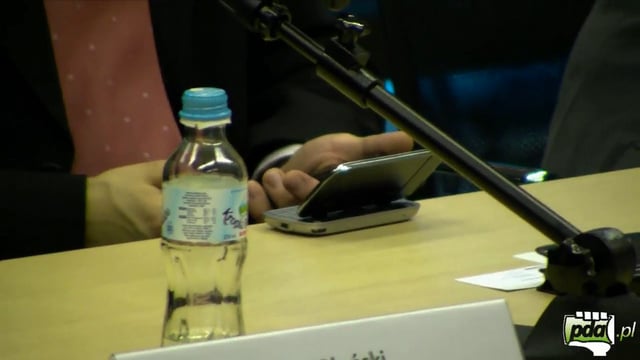
    DavidK just posted two videos from PDA.pl a couple days ago capturing the the Raphael/Touch Pro/Fuze replacement called the Rhodium, or the HTC Touch Pro II. Today PDA.pl got the goods on a HTC Executive sporting the new Touch Pro II! Check it out: HTC Touch Pro2 in the wild from pda.pl on Vimeo. Definitely … Read more

    Free Fuze For A Limited Time

    Want a free Fuze? If you’re a new subscriber you can get one. In fact with a contract extension it’s only $150. The fine print is missing from the site (it doesn’t really go into detail) so this is probably the kind of thing you want to do over the phone with a tape recorder:) … Read more

    Make A Customized Cab For Your Registry Tweaks

    For the advanced users out there that are frequently flashing and haven’t set up User Customization and want to restore all of your customized registry tweaks, I have a gem for you. For all of the noobs out there who want to be able to easily customize your registry without any third party apps and … Read more

    The Fuze and GPS

    This is a topic we haven’t addressed directly on this site but we’ve addressed it on an almost daily basis in our forums. Anyone with a Fuze who has tried to use the GPS receiver built into it had to have been frustrated with the out of box experience and probably even wondered if it even has a GPS receiver built into it. Well, here’s what you need to know about the Fuze and it’s little problem (which by the way this was#9 on the things we hate about the Fuze).

    Read more